
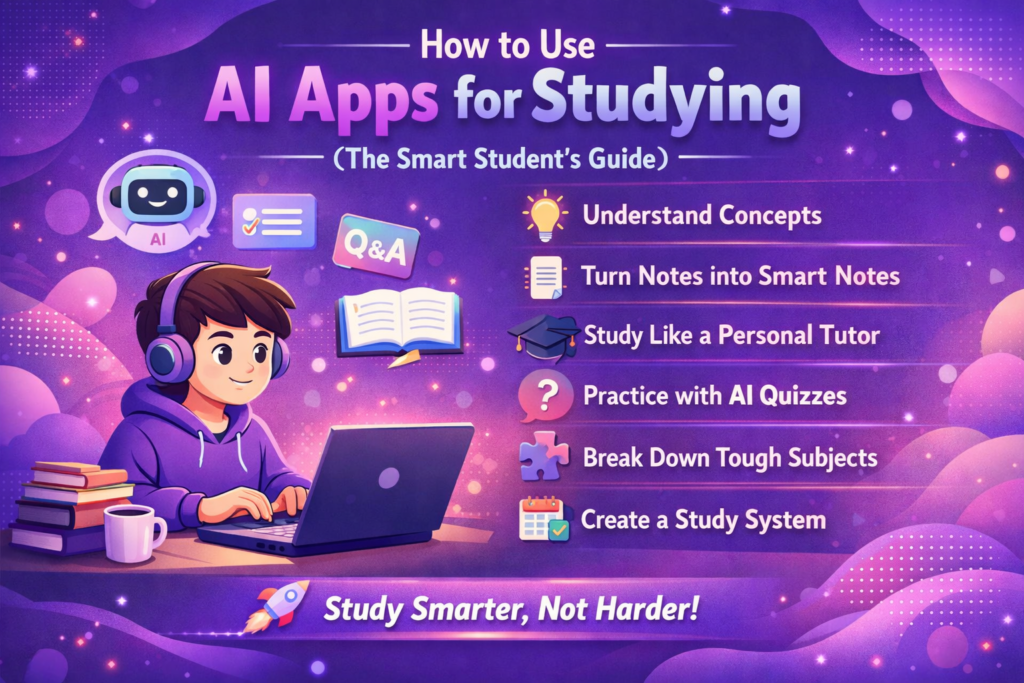

If you’re still studying the “old way” in 2026, you’re probably working harder than you need to. AI apps have quietly become one of the most powerful study companions students can use—not just for saving time, but for actually understanding and remembering better.
But here’s the catch: most students are using AI completely wrong.
They either copy answers, depend too much on it, or don’t know how to turn it into a real learning tool. This guide fixes that. By the end, you’ll know exactly how to use AI apps for studying in a way that makes you sharper, faster, and more confident.
Why AI Studying Works (When Used Right)
AI isn’t just about getting answers—it’s about how you interact with it.
When used properly, AI can:
Make complex topics feel simple
Turn boring notes into engaging explanations
Act like a 24/7 personal tutor
Help you revise smarter instead of longer
The real advantage isn’t speed—it’s clarity. And clarity is what improves memory.
Step 1: Use AI to Understand, Not Just Solve
Most students open an AI app and type something like:
“Give me the answer.”
That’s the fastest way to learn nothing.
Instead, shift your approach:
Ask AI to explain concepts in simple language
Request real-life examples
Ask it to teach like you’re a beginner
For example, instead of saying:
“Solve this physics question”
Try:
“Explain this concept step by step like I’m new to it”
You’ll notice the difference instantly. Understanding sticks. Answers don’t.
Step 2: Turn Your Notes Into Smart Notes
AI is insanely good at transforming messy notes into something useful.
After your class or study session:
Paste your notes into an AI app
Ask it to simplify and organize them
Turn them into easy-to-revise summaries
You can even go a step further:
Convert notes into questions
Generate flashcards
Create quick revision sheets
This turns passive studying into active learning—which is where real memory happens.
Step 3: Study Like You Have a Personal Tutor
One of the biggest advantages of AI is that it never gets tired of your questions 😄
You can:
Ask doubts instantly
Get multiple explanations for the same topic
Request simpler versions if you don’t understand
The best strategy is to keep digging deeper:
“Explain again in a simpler way”
“Give me another example”
“What’s the easiest way to remember this?”
This back-and-forth is exactly how good tutoring works.
Step 4: Use AI for Active Recall (The Memory Hack)
If you feel like you “study but forget everything,” this step will change everything.
Instead of re-reading notes, do this:
Ask AI to quiz you
Request practice questions
Test yourself without looking at answers
You can even say:
“Test me on this topic and don’t give answers until I try”
This forces your brain to work—and that’s how memory builds.
Step 5: Break Down Tough Subjects
Some subjects feel impossible because they’re too big or too complex.
AI helps you break them down into:
Smaller concepts
Step-by-step learning paths
Simplified explanations
For example:
“Break this chapter into the easiest order to learn”
Now instead of feeling overwhelmed, you have a clear path.
Step 6: Create a Study System (Not Just Random Sessions)
Using AI randomly won’t help much. You need a system.
A simple AI-powered study routine looks like this:
Start with understanding a topic using AI
Convert notes into summaries
Test yourself using AI-generated questions
Revise using flashcards or quick notes
This loop makes your study sessions more effective without increasing your study time.
Common Mistakes to Avoid
Let’s be real—AI can also ruin your learning if you misuse it.
Avoid these mistakes:
Copy-pasting answers without thinking
Depending completely on AI instead of your brain
Skipping practice and revision
Using AI only for last-minute studying
AI is a tool, not a shortcut to success.
Final Thoughts
AI apps are not replacing studying—they’re upgrading it.
If you use them the right way, you don’t just save time—you actually learn better, remember more, and feel more confident during exams.
The smartest students today aren’t the ones studying the longest… they’re the ones using smarter tools.
So the next time you open an AI app, don’t just ask for answers.
Ask to learn.
Call to Action 🚀
If you found this helpful, start applying at least one method from this guide in your next study session. You’ll notice the difference faster than you expect.
And if you want more practical, student-friendly tips like this, keep checking out our blog—your study game is about to level up.