
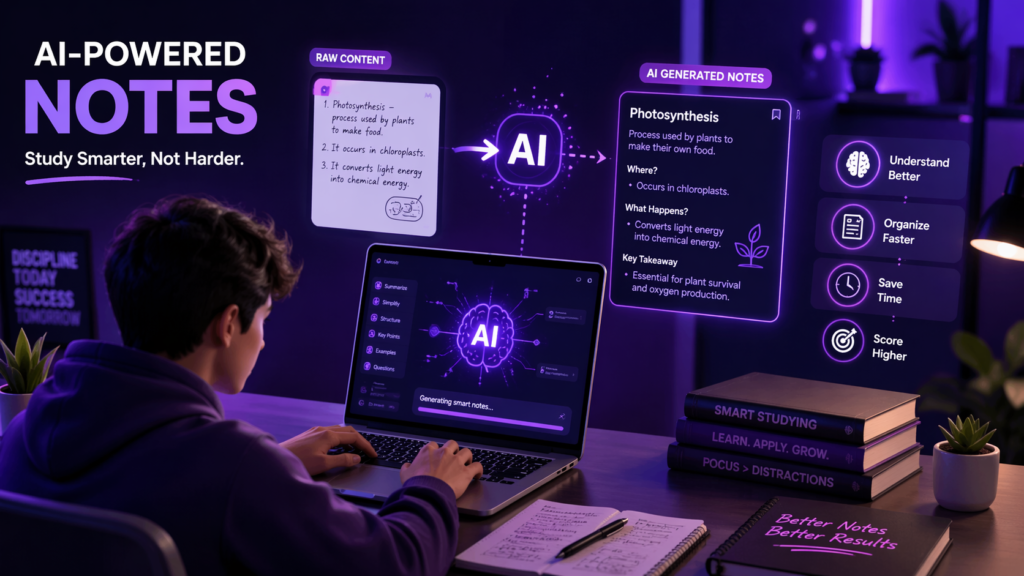

Let’s be real for a second…studying today is not the same as it was a few years ago. In this guide, you’ll learn how to make notes using AI in a smarter and faster way, instead of wasting time on outdated methods.
Welcome to 2026, where AI can literally turn your messy study material into clean, structured, easy-to-revise notes in minutes. The catch? Most students are using AI wrong.
So if you’ve ever felt like “AI isn’t helping me study properly,” this guide is about to fix that completely 🚀
Why Traditional Note-Making Feels Draining when you don’t know how to make notes using AI
You open your book, start writing notes, and after 2 hours… you’ve just copied things. No clarity, no retention, just hand pain.
That’s because your brain isn’t designed to copy, it’s designed to understand.
This is exactly where AI comes in — not to replace your effort, but to upgrade how you learn.
Step 1: Start With Raw Content (Don’t Overthink It)
First things first, you need something to work with. This could be your class notes, a chapter from your textbook, a PDF, or even a YouTube lecture transcript.
Instead of trying to organize everything yourself, just collect the raw content.
Think of this as dumping everything into AI and saying: “Here, fix my life” 😅
Step 2: Use AI to Simplify the Topic
Now comes the magic part.
Take your content and paste it into your AI tool. Instead of asking something basic like “summarize this,” you need to give a smarter prompt.
Ask AI to explain the topic in simple, easy-to-understand language, like you’re a beginner.
This instantly removes confusion and gives you clarity. Suddenly, that complicated chapter starts making actual sense.
And once you understand something, making notes becomes 10x easier.
Step 3: Turn It Into Structured Notes
After understanding the topic, your next step is converting it into proper notes.
Ask AI to organize the content into clear sections with headings, subtopics, and key explanations.
Now instead of random paragraphs, you get clean, readable notes that actually feel like something you’d revise before an exam.
This is where AI saves hours of effort without compromising quality.
Step 4: Make It “Revision Friendly”
Here’s where most students mess up — they stop too early.
Good notes are not just neat… they are easy to revise.
So now, ask AI to shorten your notes further into quick revision format. This could include simplified explanations, important concepts, or short summaries.
Your goal is simple: if you open your notes one day before the exam, you should understand everything quickly without feeling overwhelmed.
Step 5: Add Memory Boosters 🧠
Want to remember things faster? This step is a game changer.
Ask AI to convert your notes into things like examples, analogies, or simple real-life explanations.
When information feels relatable, your brain automatically stores it better.
This is the difference between “I studied this” and “I actually remember this.”
Step 6: Turn Notes Into Questions
If you really want to level up, don’t just read your notes — test yourself.
Ask AI to create questions based on your notes. This helps you actively recall information instead of passively reading.
And trust me, active recall is where real learning happens.
Step 7: Keep Improving Your Notes Over Time
Your notes don’t have to be perfect in one go.
As you study more, you can keep updating them using AI. Add missing points, simplify confusing parts, or even convert them into flashcards later.
Think of your notes as a living document, not a one-time task.
The Reality Check
AI is not going to magically make you a topper overnight.
But if you use it the right way, it can save your time, reduce stress, and make studying way more effective.
Instead of working harder, you start working smarter — and that’s what actually matters in 2026.
Final Thoughts
Making notes using AI is not cheating. It’s adapting.
The students who win today are not the ones who spend the most time studying… they are the ones who use the best systems.
So next time you sit down to study, don’t just open your notebook.
Open AI, and let it help you build notes that actually work for you ✨